


Excel TGI Presentation Game 2.0 |
|
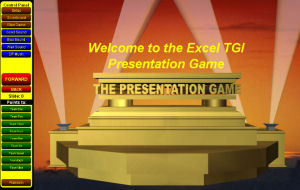
| Turn ANY PowerPoint presentation into a Presentation Game with this unique Excel based application. Using The Presentation Game energizes and engages your audience. It's easy to use and you can convert an unlimited number of your PowerPoint presentations into presentation games; and access them all with the press of a button. You can even enhance your presentation by adding game questions, discussion points, additional information, sounds and bonus points to any slide. Converts presentations with up to 200 SLIDES! The game also contains multiple scoring options, exciting game sounds and will accommodate up to 10 teams or 10 individual players. The Presentation Game improves learning and retention at ALL Levels! Experience this new and totally unique method for delivering your PowerPoint Presentations. | |
 |
|
"Today was my last class of 4 classes. Everything went really wonderful! This is a great tool for training. It really perked things up. What I am training is rather rote, so getting the class competitive and involved was exactly what we needed. I even had a couple of students write in the comments section 'Great training tool!' 'Fun training experience.'" |
|
| Presentation Game Features: - You present your slide presentation as you normally would but now you can award points for great game participation or correct answers to your questions. - A random team generator can choose a team at the presenters option (Just to add an element of chance to the game!) - Set up special bonus questions, and reveal answers at the touch of a button. - Change point values for any question or slide. - The game will accommodate up to 10 teams or 10 individual players. - You make the game rules and decide how points are awarded through the course of your presentation. - You have complete control over scoring including the ability to correct scores if an error is made during play. - Handles presentations with up to 200 slides. - Add your own questions, answers or additional information to individual slides and reveal these at key moments within your presentation. - Add your own voice and sounds to individual slides. - Added sounds can be set to play automatically or when manually introduced by the presenter. - Pop-up scoreboard to view scoring for all teams/players. - All your image/sound and text information is stored in a single folder of your choice; and is automatically restored to the game by selecting this folder right from within The Presentation Game. - Complete Game and Setup help included in the program as well as a Quick Start tutorial. - A Slide Previewer allows you to easily see the slide graphic, question, additional information, bonus pts. and/or sounds attached to each slide in the presentation. - Get ready for rave reviews and your best presentation ever with the Presentation Game. |
Presentation Game Program Options: - Editable Rules or notes pop-up to let you share your rules or keep presentation notes during your presentation. - Add your program name to the special start up screen at the beginning of a presentation. -You add team or player names right into the game itself. - Bring your presentation slides into the game with a click of a button (It literally takes seconds to do!). - Buttons generate random good or bad sounds for use during the presentation at the presenters discretion. - A wait sound to encourage your group to answer or help you move the presentation along. - Special background music which can be played while your group is waiting for the presentation to start or during intermission. - A special screen sizer allows you to adjust the presentation to your computer's screen size. - "Save As" option allows you to save different versions of the game for quick access. - Full Screen mode to make the game as large as possible on your screen for better visibility when using a projector. - Shortcut keys to use the Presentation Game as you would a normal PowerPoint presentation to advance or back up a slide. -Use a remote mouse to advance slides from anywhere in the room. - A "Go to Slide..." option to jump to a slide not in sequence. - A special start up screen to announce the start of your presentation. This is the one tool you will want to have in your presentation or training tool kit. |
| Purchase the Presentation Game 2.0 [Products ordered on CD will be delivered by either 1st Class Mail (5-7 business days) or Priority Mail (2-3 business days), and a download link for each product will be sent as well, compliments of TGI.] |
|
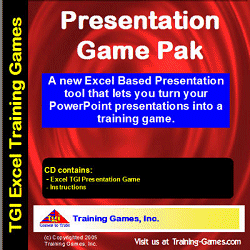 The same great game in our CD version. The same great game in our CD version. |
|
© Copyright 2004-2006
Training-Games.com
All Rights Reserved